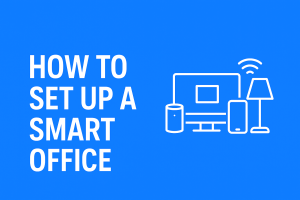
A smart office is no longer a futuristic concept — it is now the standard for productivity, efficiency, and seamless collaboration. Whether you work from home, run a small business, or manage a large corporate team, setting up a smart office can dramatically improve workflow, reduce energy waste, and create a more comfortable and secure work environment.
In this guide, you’ll learn how to set up a smart office step-by-step, the best smart office devices to buy, and how to automate your workplace for maximum efficiency.
What Is a Smart Office?
A smart office uses connected devices — like smart lights, smart speakers, smart thermostats, and automated meeting tools — to improve productivity and convenience. These devices communicate through Wi-Fi, voice assistants, or central automation platforms to create a streamlined, high-performance workspace.
Benefits of a Smart Office
- Increased productivity
- Automated tasks and routines
- Better collaboration
- Enhanced security and access control
- Energy savings through automated lighting and temperature control
- A more comfortable and modern work environment
If you want a more efficient workplace, this step-by-step smart office setup guide is for you.
1. Identify Your Smart Office Goals
Before buying devices, define what you want your smart office to achieve:
Productivity & Workflow Improvement
Voice reminders, automated scheduling, smart whiteboards, and digital collaboration tools.
Energy Efficiency
Smart bulbs, smart switches, motion sensors, and automated thermostats.
Security
Smart locks, cameras, alarm sensors, and visitor management systems.
Comfort & Ergonomics
Smart desks, posture-monitoring chairs, and climate control systems.
Define your needs early — this helps you choose the right devices later.
2. Plan Your Smart Office Layout
A smart office starts with smart planning.
Evaluate Your Space
- Where does natural lighting come from?
- Which areas need automation? (Meeting rooms, private offices, reception areas, etc.)
Check Power Outlet Placement
You’ll need enough outlets for smart hubs, smart speakers, and IoT devices.
Ensure Strong Wi-Fi Coverage
Smart devices depend on a stable internet connection.
For larger offices, consider:
- A mesh Wi-Fi system
- Wi-Fi extenders
- Business-grade routers
This ensures that all devices stay online without frequent disconnections.
3. Choose Your Smart Office Ecosystem
Your ecosystem determines compatibility. Choose one primary system for smoother operation.
Top Smart Office Ecosystems
Amazon Alexa for Business
Great for hands-free task automation, reminders, and meeting controls.
Google Workspace + Google Assistant
Perfect for teams using Gmail, Docs, Drive, and Google Meet.
Apple HomeKit
Ideal for MacBook and iPhone-based offices.
Microsoft 365 + Teams
Best for corporate environments with Microsoft tools.
Choose an ecosystem based on the devices you already use.
4. Essential Smart Office Devices to Install
Here are the must-have devices for a modern smart workplace:
4.1 Smart Speakers & Voice Assistants
Examples:
- Amazon Echo
- Google Nest
- Apple HomePod
Use them to:
- Set reminders
- Control lights
- Start meetings
- Ask for schedules
- Automate workflows
4.2 Smart Lights & Smart Switches
Smart lighting helps reduce energy waste.
Benefits:
- Remote control
- Automatic on/off
- Color temperature adjustments
- Motion sensors for meeting rooms and hallways
4.3 Smart Plugs & Power Strips
Use them to turn non-smart tools smarter:
- Printers
- Routers
- Fans
- Coffee makers
- Desk lamps
Smart plugs track energy usage and automate powering devices.
4.4 Smart Thermostats & Climate Control
A comfortable office boosts productivity.
Smart thermostats:
- Learn room temperature preferences
- Reduce energy waste
- Allow remote monitoring
- Adjust based on occupancy
4.5 Smart Security & Access Control
For small and large offices, security is essential.
Tools include:
- Smart door locks
- Keyless entry systems
- Biometric access panels
- Smart CCTV/indoor cameras
- Motion sensors
- Visitor management tablets
4.6 Smart Conferencing Tools
Make meetings more efficient.
You can use:
- Smart TVs
- Google Meet hardware
- Zoom Rooms equipment
- Smart projectors
- Wireless presentation devices
- Smart whiteboards
These tools reduce setup time and help teams collaborate better.
4.7 Smart Office Furniture
Ergonomics matter.
Examples:
- Smart height-adjustable desks
- Chairs with posture sensors
- Standing desk reminders
- Desk occupancy sensors
These improve workplace health and reduce fatigue.
4.8 Smart Printers & IoT Appliances
Cloud-connected printers:
- Automatically order ink
- Send notifications
- Reduce downtime
- Allow mobile printing
5. Step-by-Step Guide: How to Set Up a Smart Office
Here is a beginner-friendly, chronological process to get everything running smoothly.
Step 1: Install Your Ecosystem App
Depending on your platform:
- Amazon Alexa App
- Google Home App
- Apple Home App
- Samsung SmartThings
- Microsoft 365 Integrations
Create or log into your admin account.
Step 2: Set Up Your Smart Hub or Main Controller
Connect your hub to Wi-Fi and ensure it has a stable power source.
Step 3: Add Smart Devices One-by-One
Don’t connect everything at once.
To pair:
- Power on the device
- Put it in pairing mode
- Add it through your app
- Rename it (e.g., “Reception Lights”)
Step 4: Organize Devices Into Rooms or Departments
Helps with automation.
Examples:
- Marketing Office
- Conference Room 1
- Reception
- Workstation Area
Step 5: Create Smart Routines & Automations
Examples:
- Automatically turn on lights at work hours
- Meeting-start routine: turn on smart TV + adjust brightness
- “Away Mode”: turn off lights, AC, and lock doors
- Auto-adjust temperature during working hours
- Voice command “Start my workday” triggers personalized routines
Step 6: Test All Systems
Check:
- Voice commands
- Scheduling
- Device response time
- Employee access permissions
Once testing is complete, your smart office is ready.
6. Smart Office Security Best Practices
Keep your office secure by:
- Using a strong Wi-Fi password
- Enabling two-factor authentication
- Updating device firmware regularly
- Using a business-level router
- Setting admin access for IT personnel only
- Restricting employee access to sensitive tools
Smart offices collect data — protect it.
7. Advanced Smart Office Add-Ons
Upgrade your workspace with:
- Smart air quality sensors
- Smart blinds/shades
- Automated windows
- Smart vending machines
- Occupancy sensors
- AI-powered productivity dashboards
- Automated visitor check-in kiosks
- Smart cleaning robots
These enhancements create a fully automated, modern office environment.
8. Smart Office Setup Cost Breakdown
Starter Smart Office (Home office / 1–3 people):
₦50,000 – ₦300,000 / $50 – $250
Small Business Setup (5–20 employees):
₦500,000 – ₦3,000,000 / $400 – $2,500
Corporate Smart Office:
₦3,000,000 – ₦25,000,000+ / $2,500 – $20,000+
Costs vary depending on the number of devices and complexity.
Conclusion
Setting up a smart office is one of the best ways to improve productivity, workflow, and workplace comfort. Whether you’re upgrading a home office or outfitting a full business space, start small — smart lights, smart speakers, and smart plugs — then scale gradually with smart furniture, security tools, and advanced automation systems.
With the right devices and ecosystem, your smart office can transform the way you work every day.